I Resurrected a 2009 Palm Pre App With an AI — and It Worked
In 2009, I built a Star Trek app for the Palm Pre. Tonight, I brought it back from the dead using Claude Code, and I didn't write a single line of code myself.
You can play it right now: communicator.natecraddock.com
The App That Time Forgot
If you were rocking a Palm Pre back in the day — first of all, respect. You had taste. webOS was ahead of its time in ways that still hurt to think about.
My contribution to that beautiful, doomed ecosystem was the Star Trek Communicator & Away Team Action Playset. It was a love letter to The Original Series crammed into a 320×480 screen. Fourteen characters across three Starfleet departments. Hundreds of original voice clips. A draggable phaser power dial. A rotating signal spinner. A communicator grill that actually opened and closed. A tricorder with cycling screen displays. A medical scanner with a hold-to-scan mechanic.
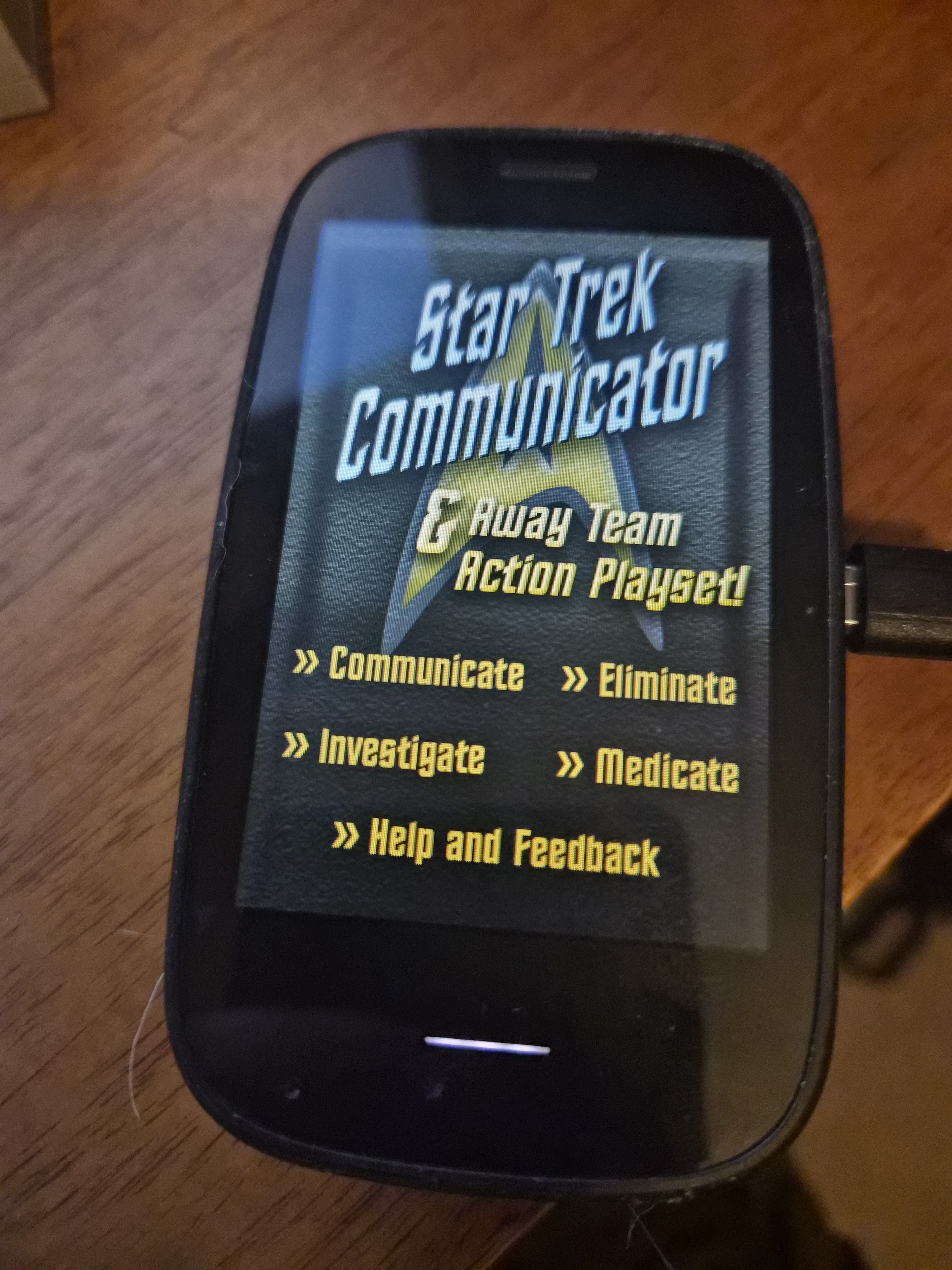
And an easter egg, because of course there's an easter egg: crank the phaser to maximum power and it triggers an overload sequence — a slowly ramping sound that builds until the whole thing explodes.
The whole thing was built on the Mojo framework — webOS 1.0's answer to "what if we made mobile apps out of HTML and JavaScript before anyone was really ready for that?" Sprite sheets, CSS animations, border-image tricks for decorative frames, and a whole lot of Mojo.Event.listen. For 2009, it was pretty slick.
Then Palm died. HP bought them, fumbled the TouchPad, and webOS went to live on a farm upstate. My Star Trek app went with it.
Sixteen Years Later
I've been doing a lot of work with Claude Code lately — Anthropic's CLI coding tool that lets you pair-program with an AI right in your terminal. I use it for real production work, but I wanted to throw something weird at it. Something with ancient framework patterns, sprite sheet math, and enough quirky interaction design to really test whether it could understand intent, not just syntax.
A dead app built on a dead framework for a dead platform. Perfect.
The Conversion
Here's what Claude had to work with: 8 JavaScript scene assistants, 8 HTML templates, 5 CSS stylesheets, 2 data model files, and about 8.5MB of audio and image assets from a framework that's been dead longer than some junior devs have been coding.
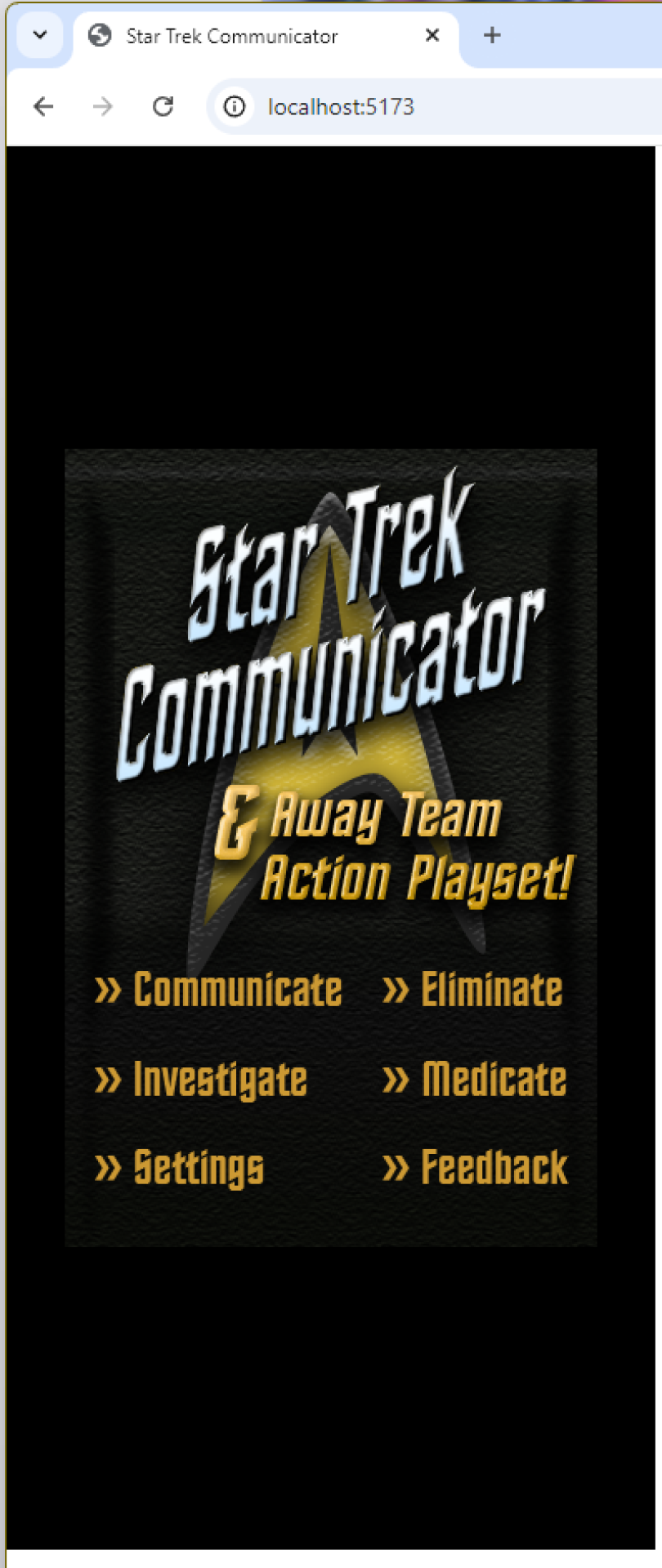
I fed it everything and said make a plan. It mapped every webOS Mojo concept to a React equivalent — Mojo.Event.listen became onPointerDown, Mojo.Model.Cookie became localStorage, x-mojo-element widgets became React components. Then it scaffolded a Vite + React project, converted the data layer, and started building.
Here's the thing: my role was domain expert. I knew how the app was supposed to behave — which animations fired when, what the phaser dial felt like to drag, how the communicator grill should respond to a tap. Claude handled all the actual code. Every line of React, every CSS rule, every hook and handler came from the AI.
All seven original scenes made the trip: Title, Communicate, Phaser, Tricorder, Medical Scanner, Help, and Preferences. Navigation is just useState-based scene switching in App.jsx — no React Router needed, which honestly maps perfectly to how the original Mojo scene stack worked anyway.
The Bugs Were the Fun Part
This wasn't a mechanical translation. We hit real problems that required understanding why the original code worked the way it did.
The invisible click-blocker. The antenna grill overlay used scaleY(0) when open — visually gone, but still sitting there capturing pointer events and blocking clicks on the buttons underneath. The kind of thing that works fine in 2009 webOS and silently breaks in a modern browser. Fixed with pointer-events: none.
The incredible shrinking frames. The decorative border-image elements were rendering too small. A global border-box rule was conflicting with the original content-box sizing the entire app was designed around. We had to throw out the global box-sizing override entirely. Fifteen years of "always use border-box" muscle memory, and the right answer here was: don't.
The transparent centers. The Help page's white balloon backgrounds and the Phaser page's metal texture were rendering as empty frames — just borders with nothing in the middle. Turns out CSS border-image-slice needs the fill keyword explicitly, or it only renders the 9-slice border pieces and leaves the center transparent. That's a subtle one. The kind of thing that costs you an hour on Stack Overflow, and Claude diagnosed it in context.
Validating the Whole Thing
One part of the workflow worth mentioning: we used Playwright to validate the conversion. Rather than just eyeballing each scene and hoping nothing was off, we had automated browser testing confirming that scenes rendered correctly, interactions worked, and the navigation flow matched the original app's behavior. When you're converting something with this many interactive pieces — draggable dials, hold-to-scan mechanics, conditional animations — having a real browser validating your work catches things you'd miss on a visual pass.
The Enhancements
We didn't just port it. We made it better for 2025.
A "Tap to Begin" overlay on the title screen, because modern browsers won't autoplay audio without user interaction. The transporter beam-in sound has to play on first load. Non-negotiable. Kirk doesn't materialize in silence.
Smart beam-in behavior — the animation and sound only fire on first app load. Come back to the title from another scene and everything appears immediately. No one wants to watch the same beam-in animation forty times.
The phaser overload easter egg, fully implemented with programmatic volume ramping from near-silent to full blast over the duration of the audio file. The explosion is baked into the end of the sound. It's deeply satisfying.
A full asset preloader with progress bar — all images and key audio files load before the app starts, so every scene renders instantly with no visible pop-in. This is one of those things you don't notice when it works, but you absolutely notice when it doesn't.
And an updated Help page telling the story of the app's resurrection. Because at this point, that's part of the story.
The Numbers
The final build is pretty lean for what it does:
- ~220KB JS (67KB gzipped), ~17KB CSS
- ~8.5MB of assets (7.1MB audio, 1.4MB images)
- Zero dependencies beyond Vite and React
- Plain CSS with component-level files (no CSS-in-JS, no preprocessors)
- Custom
useAudiohook wrappingHTMLAudioElement(no audio libraries) - Deployed as a static site on Netlify
What I Actually Took Away From This
This wasn't really about Star Trek. Or Palm. Or even React.
I didn't write code tonight. I directed code. I brought sixteen years of context about this app — how it should feel, what the interactions meant, why certain design decisions were made — and Claude brought the ability to translate all of that into a modern codebase, fast. Playwright confirmed we got it right.
The bugs we hit weren't trivial. They required understanding the intent behind decade-old framework decisions, not just pattern-matching syntax. That border-image-slice fill issue alone is the kind of thing where you need to understand what the original developer was trying to accomplish, not just what the code says.
That's the part that gets me. Not that AI can write a React component — that's table stakes at this point. It's that AI can take a dead framework's patterns, understand what they were for, and rebuild them in something modern while preserving all the weird, wonderful little details that made the original app worth building in the first place.
Live Long and Prosper
The Star Trek Communicator is back. Sixteen years after Palm died, it runs in any modern browser. Every voice clip, every animation, every ridiculous phaser overload explosion — all of it, exactly as weird and charming as it was in 2009. Just built on technology from this decade.
Check it out: communicator.natecraddock.com
If you've got old projects collecting dust on dead platforms, I'd genuinely encourage you to try this. Grab the source, hand it to an AI coding tool, and see what happens. You might be surprised what comes back to life.